

Sender Services
By default, your default sub account is provisioned with a Sender Service for Marketing and a Sender Service for Transactional messaging.
If you don't have dedicated shortcodes, long numbers or alphanumeric senders, you don't need to configure your Sender Services.
Your messages will be sent via our default shared shortcodes for Belgium and default orgin A2P numbers for other countries.
Sender Services is a Naxai feature designed to streamline sending messages at scale, especially across multiple countries. A Sender Service acts as a centralized container, grouping multiple Naxai message senders for efficient management.
Handling high volumes of messages in Europe and globally can become increasingly complex. Using distinct sender Services within Naxai helps simplify this complexity as your messaging needs grow.
A Sender Service serves as a high-level grouping of messaging capabilities, combining senders, features, and configurations into a single manageable unit. All senders within the Sender Service —including long numbers, short codes, and others—inherit the same settings and features.
When setting up a new Sender Service, you must associate one or more phone numbers or short codes to enable message sending.
For better organization and enhanced functionality, we recommend using Sender Services rather than specifying the From field directly when sending messages.
Default Sender Services
Naxai will automatically create two default Sender Services in your first Sub Account named "Default Sender Service Marketing" and "Default Sender Service Transactional".
You can start using those Sender Services directly; those default Sender Services use shared shortcodes and optimal routes for each country.
Managing Sender Services
For managing Sender Services, go to SMS -> Sender Services
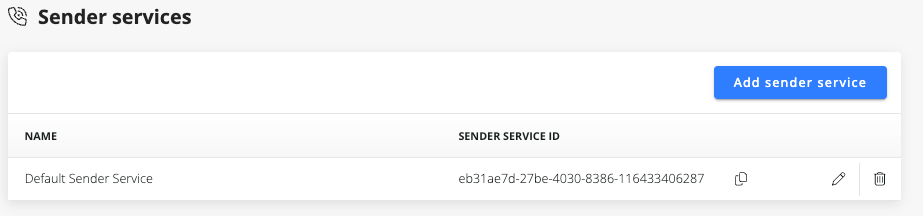
Click on "Add Sender Service", provide a name and usage.
When using "Marketing" or "Not set" for the usage, the Suppression Lists will be used to determine if the SMS can be sent to the recipient. For usage "Conversation", "Notification" or "OTP", the Suppression Lists will not be used.
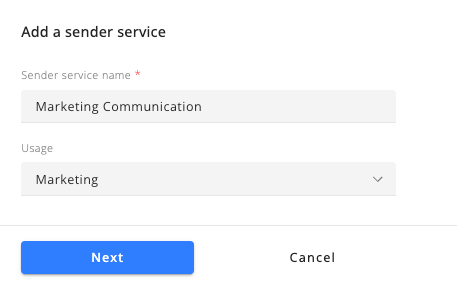
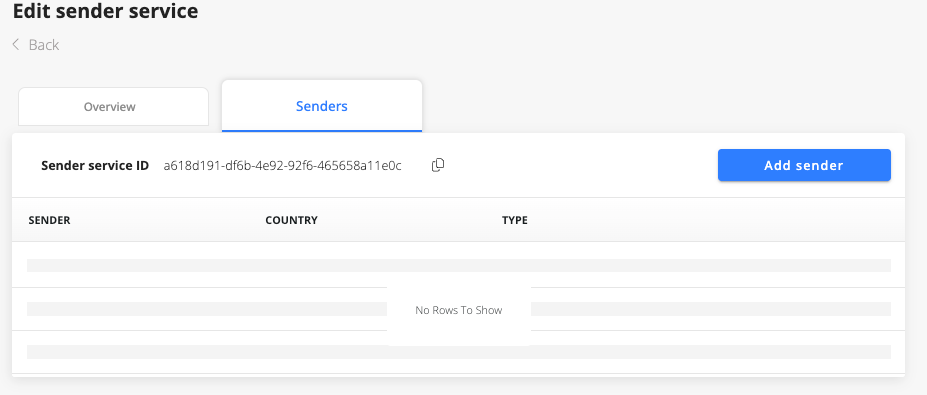
By default, a sender Service uses shared short codes and long numbers.
You can start sending messages using this Sender Service without further action.
If you have dedicated shortcodes, dedicated long number,s or if you are using an Alphanumeric sender ID then you can "Add Sender".
Select the type of Sender you want to add
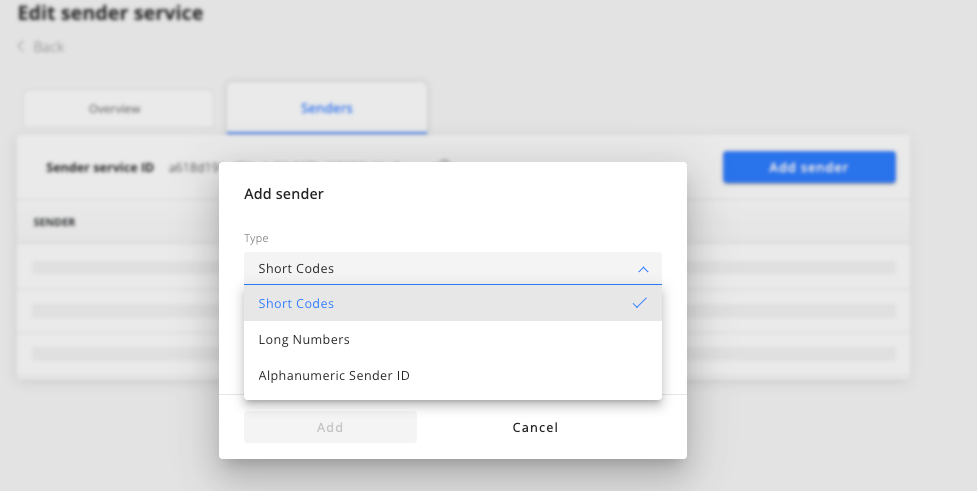
For short codes and long numbers, you will select your dedicated number(s)
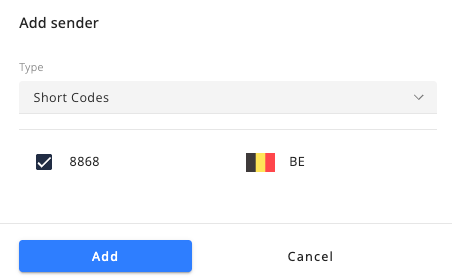
For the Alphanumeric sender ID, you will type it.
Please note that an Alphanumeric sender ID must have a length between 3 and 11 and must be registered in some countries before being used. Contact our support team at [email protected] for assistance with the Alphanumeric sender ID.
Sender Service Features
Short Code Prioritization
If your Sender Service includes a dedicated short code, Naxai prioritizes delivering messages to the recipient's destination country using that short code.
Alphanumeric Sender
Alphanumeric Sender IDs allow for branded, one-way messaging with a customized sender name. By adding an Alphanumeric Sender ID to your Sender Service pool, you can send messages displaying your business name or brand instead of a phone number.
Country Code Match
When sending messages internationally, the Country Code Match feature automatically selects the Naxai phone number from your Sender Service corresponding to the recipient’s country.
Default Routing
If no specific rules apply when sending a message, Naxai uses default short codes, long numbers, or Alphanumeric Sender IDs to ensure optimal message delivery.
Sender Service Priority order
---
config:
  theme: mc
  look: classic
---
flowchart LR
    A["Send SMS"] -- phone country destination --> B("Sender Service")
    B --> C{"Dedicated Shortcode?"}
    C -- Yes --> D["Use Shortcode"]
    C -- No --> E{"Dedicated LongNumber in Country?"}
    E -- Yes --> F["Use LongNumber"]
    E -- No --> G{"Alphanumeric Supported in Country"}
    G -- Yes --> H["Use Alphanumeric"]
    G -- No --> I{"Dedicated LongNumber?"}
    I -- Yes --> J["Use LongNumber"]
    I -- No --> K["Use Default"]
    D --> X["End"]
    F --> X
    H --> X
    J --> X
    K --> X

     A:::Sky
     B:::Sky
     C:::Peach
     D:::Aqua
     E:::Peach
     F:::Aqua
     G:::Peach
     H:::Aqua
     I:::Peach
     J:::Aqua
     K:::Aqua
     X:::Ash
    classDef Sky stroke-width:1px, stroke-dasharray:none, stroke:#374D7C, fill:#E2EBFF, color:#374D7C
    classDef Ash stroke-width:1px, stroke-dasharray:none, stroke:#999999, fill:#EEEEEE, color:#000000
    classDef Aqua stroke-width:1px, stroke-dasharray:none, stroke:#46EDC8, fill:#DEFFF8, color:#378E7A
    classDef Rose stroke-width:1px, stroke-dasharray:none, stroke:#FF5978, fill:#FFDFE5, color:#8E2236
    classDef Peach stroke-width:1px, stroke-dasharray:none, stroke:#FBB35A, fill:#FFEFDB, color:#8F632D
    linkStyle 2 stroke:#00C853,fill:none
    linkStyle 3 stroke:#D50000,fill:none
    linkStyle 4 stroke:#00C853,fill:none
    linkStyle 5 stroke:#D50000,fill:none
    linkStyle 6 stroke:#00C853,fill:none
    linkStyle 7 stroke:#D50000,fill:none
    linkStyle 8 stroke:#00C853
    linkStyle 9 stroke:#D50000,fill:none
When sending a message, Sender Services follow this priority order:
- Dedicated Short Code: If one or more short codes are available for the recipient’s destination country, a short code is prioritized.
- Long Numbers (VLN) in the country matches: If a long number in the same country as the recipient’s destination country, it is selected.
- Alphanumeric Sender: If an Alphanumeric Sender ID is configured and supported in the recipient’s destination country, it will be used.
- Other Long Numbers (VLN): if a Long number exists and the destination country supports long numbers, it will be used.
- Default Routing: If none of the above applies, a default short code, long number, or Alphanumeric Sender ID matching the recipient’s country destination is selected.
Note: If several Dedicated Shortcodes or Long Numbers exist, they are randomly selected.
Updated 10 months ago